


SKYLIT STUDIO · THE GALLERY WALL
Build your gallery wall.
Mix personalised designs and space prints, find your layout, and preview it in your room.
Choose an arrangement, or turn on Move prints to position each one yourself.
Your photo stays in this browser. Use a straight-on photo for the best preview.
Match your wall’s width (optional)
Use the width from the left edge to the right edge of the photo, measured on the wall. This sets the print scale and locks photo zoom. Clear it to return to a styling preview. Angled photos will only be approximate.
View locked · Scroll normally
Prints shown to proportion. Room dimensions are illustrative.
A gallery wall of your own universe
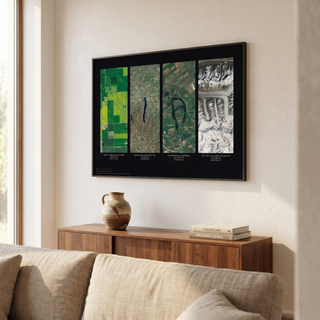
Bring your favourite moments and corners of space together. Choose a ready-made layout or create your own wall with up to 30 prints, then mix personalised maps, your own photographs, nebulae, galaxies and space photography. Preview frame finishes and print sizes before reviewing the complete wall in your basket.
Choose your prints
Explore the collections, then select a print for each numbered space. You can mix artwork and choose a different frame finish for every print.
Find the right size
Start with A4, 30 × 40, 40 × 50, 50 × 70 or 60 × 80 cm layouts. Available sizes and finishes depend on the print and delivery country. The preview keeps print proportions accurate; the room is a styling illustration, so measure your wall before ordering.
Preview on your phone
Upload a straight-on photo of your own room, or use one of the included backgrounds. Your uploaded photo stays in your browser. The gallery wall builder works in portrait mode. Tap a print to edit it. In Create your own, turn on Move prints to drag each frame into place. Unlock the view to drag or pinch the room, then lock the view when finished. Fullscreen preview hides the selection guides so you can see your finished arrangement.
Can I create my own layout?
Yes. Open Layout and choose Create your own to customise the current wall. Add or remove print spaces, choose rows or a grid, adjust the spacing, or use Move prints to position frames yourself. Auto-arrange arranges them automatically again. You can use 1 to 30 prints; removing a print from the wall does not remove it from your basket.
Can I mix different print sizes?
Yes. Start with a layout, then use each print’s size selector to choose an available size. The wall preview updates to show the new proportions.
Does the builder include personalised prints?
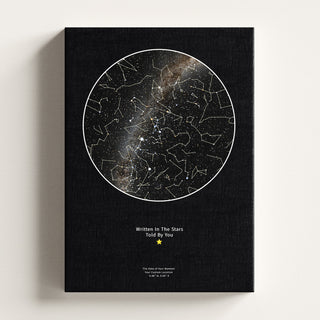
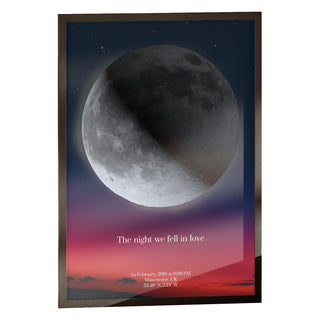
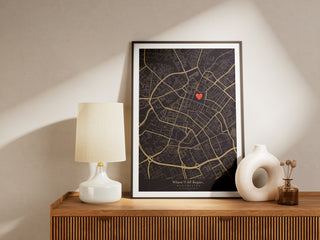
Yes. Choose Personalised in any slot to create a Star Map, Moon Map, Family Moon, Location Map, Custom Photo Print or Your Name From Orbit. After you add the finished design, you return to the same wall and the real artwork appears in its slot. Prints already in your basket can also be added to the preview.
How do I buy my gallery wall?
Choose artwork for every slot, then add the prints to your basket together. Shopify confirms availability and calculates applicable discounts and delivery in the basket.
